Next.jsでTopに戻るボタンを追加する
Next.jsでページのTopへ戻るボタンを実装する。
完成イメージ
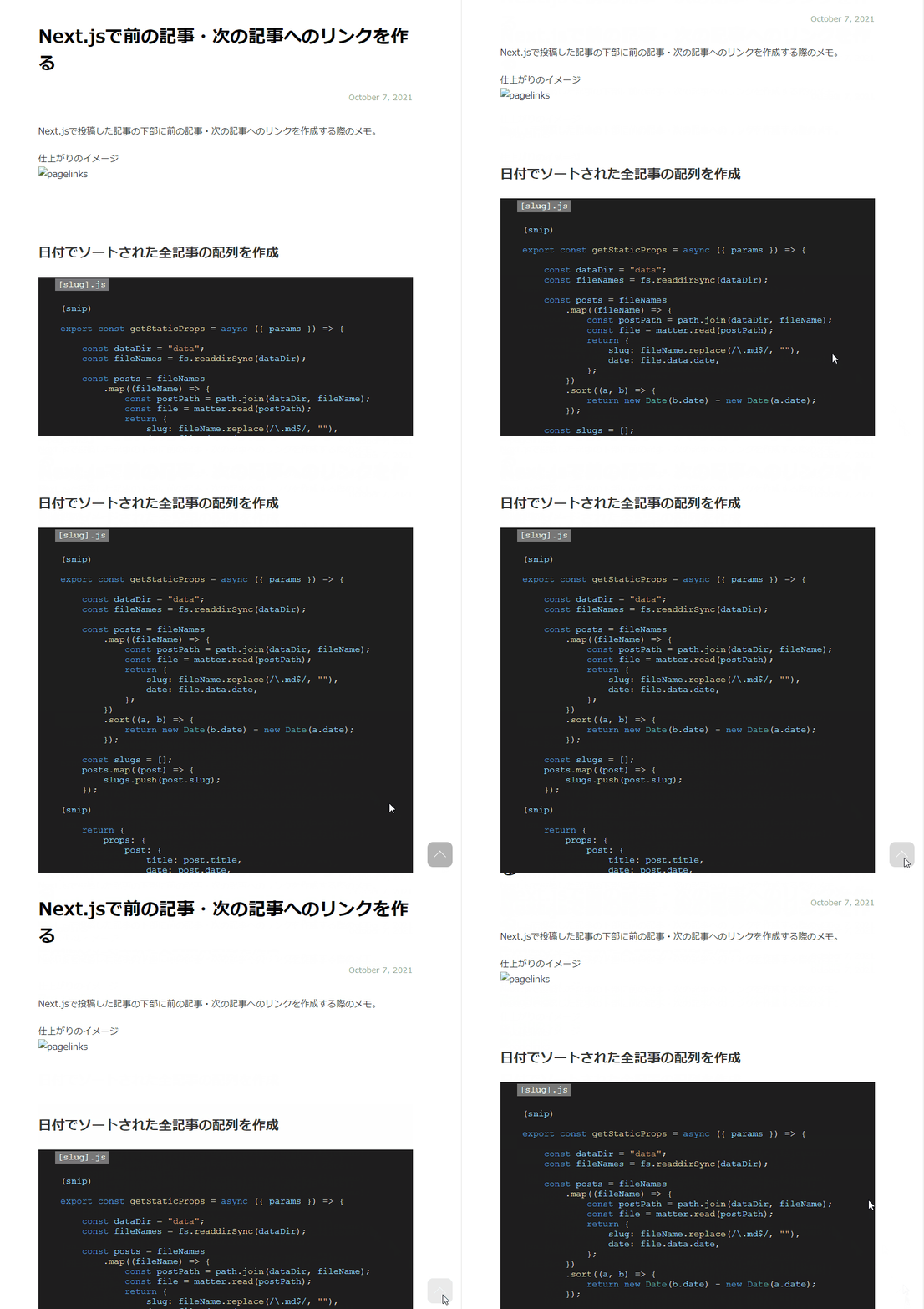
手順
1. コンポーネントを作成
onClickでページトップに戻すaタグを作成し、componentディレクトリ配下に作成する。 こちらをほぼそのまま参考にさせていただいた。
components/ReturnTopButton.jsximport { useEffect, useState } from 'react'import 'scroll-behavior-polyfill'const ReturnTopButton = () => {const [isButtonActive, setIsButtonActive] = useState(false)useEffect(() => {window.addEventListener('scroll', scrollWindow)return () => {window.removeEventListener('scroll', scrollWindow)}}, [])const scrollWindow = () => {const top = 100 //ボタンを表示させたい位置let scroll = 0scroll = window.scrollYif (top <= scroll) {setIsButtonActive(true)} else {setIsButtonActive(false)}}const normalStyle = {opacity: 0,transition: '0.5s',pointerEvents: 'none'}const activeStyle = {opacity: 1,transition: '0.5s'}const style = isButtonActive ? activeStyle : normalStyleconst returnTop = () => {window.scrollTo({top: 0,behavior: "smooth",});};return(<div style={style}><a onClick={returnTop}></a></div>);};export default ReturnTopButton;
CSSを作成
ボタンをcssで装飾する。こちらを参考にさせていただいた。
ReturnTop.module.css.returnTop {position: fixed;right: 0;bottom: 0;text-indent: -9999px;margin: 0 0 0 auto;}.returnTop a {position: relative;display: block;width: 60px;height: 60px;margin: 0 20px 30px 0px;border-radius: 10px;background: rgba(128, 128, 128, 0.6);transition: opacity 0.6s ease;}.returnTop a:hover {opacity: 0.3;}.returnTop a::before {position: absolute;top: 7px;right: 0;bottom: 0;left: 0;display: block;width: 14px;height: 14px;margin: auto;content: "";transform: rotate(-45deg);border-top: 1px solid #fff;border-right: 1px solid #fff;}
ページに追加
まずは、作成した css (ReturnTop.module.css) をcomponent (ReturnTopButton.jsx) に追加する。
components/ReturnTopButton.jsximport { useEffect, useState } from 'react'import 'scroll-behavior-polyfill'import styles from "../styles/ReturnTop.module.css"; // 追加const ReturnTopButton = () => {(snip)return(//追加<div className={styles.returnTop}><div style={style}><a onClick={returnTop}></a></div></div>);};export default ReturnTopButton;
次に、戻るボタンを追加したいページのjsに記載。今回はブログページのjsに追加。
pages/blog/[slug].jsimport ReturnTopButton from "../../components/ReturnTopButton"; //追加const PostContent = ({ postData }) => {return (<><Head><title>{postData.title} | WOF Tech Blog</title><meta name="viewport" content="width=device-width,initial-scale=1.0" /></Head><article><ArticleHeader title={postData.title} date={postData.date} /><div className={styles.body}><MDXRemote {...postData.mdxSource} components={components} /><ReturnTopButton/> //追加</div><PageLinks slug={postData.slug} slugs={postData.slugs} /></article></>);};
以上