Next.jsでSSGとSSRを試してみる
SSGとSSRについて調べると大まかに以下のことが分かったが、実際にやってみて動きを試してみる。
- SSG(静的サイトジェネレート)は、ビルド時にページを生成しておき、クライアントからリクエストがきたときは、事前に生成しておいたページを返す。Next.jsでは
getStaticProps関数を利用することでそれができる。 - SSR(サーバーサイドレンダリング)は、クライアントからリクエストがきたら、ページを生成して返す。Next.jsでは
getServerSideProps関数を利用することでそれができる。
※ 詳細は、公式Documentを参照のこと
試してみる
Githubのテスト用API (ランダムな文字列を返す)を叩いた結果と、ページ生成時の時刻(getStaticPropsまたはgetServerSidePropsから受け取った時刻)を表示するページを作成。Refreshボタンを押せばページリロードできるようにした。
期待値
getStaticProps ではリロードしても表示結果は変わらず、getServerSideProps ではリロードするたびに結果が変わることが期待値
function Blog(props) {const post = props.messageconst date = props.date_stringconst refreshPage = () => {window.location.reload();}return (<><ul>GithubApiMessage: {post}</ul><ul>RenderingTime: {date}</ul><ul><button onClick={refreshPage} >RefreshPage</button></ul></>);}
getStaticProps
getStaticProps 内にGithubAPIをfetchする処理と時刻を作成する処理を書き、先ほどのページ表示の部分をともに、pages/配下に置く。
pages/ssg.jsimport fetch from 'node-fetch'function Blog(props) {const post = props.messageconst date = props.date_stringconst refreshPage = () => {window.location.reload();}return (<><ul>GithubApiMessage: {post}</ul><ul>RenderingTime: {date}</ul><ul><button onClick={refreshPage} >RefreshPage</button></ul></>);}export async function getStaticProps() {const requestUrl = "https://api.github.com/zen"const response = await fetch(requestUrl)const message = await response.text()const date = new Date();const date_string = date.getFullYear() + "/" +(date.getMonth() + 1) + "/" +date.getDate() + " " +date.getHours() + "時" +date.getMinutes() + "分" +date.getSeconds() + "秒"console.log(date_string)return {props: {message,date_string},};}export default Blog;
結果

→ ページリロードしても結果は変わらない
getStaticProps
SSGのコードの getStaticProps の部分を getServerSideProps に書き換えるだけ
diff< export async function getServerSideProps() {---> export async function getStaticProps() {
結果
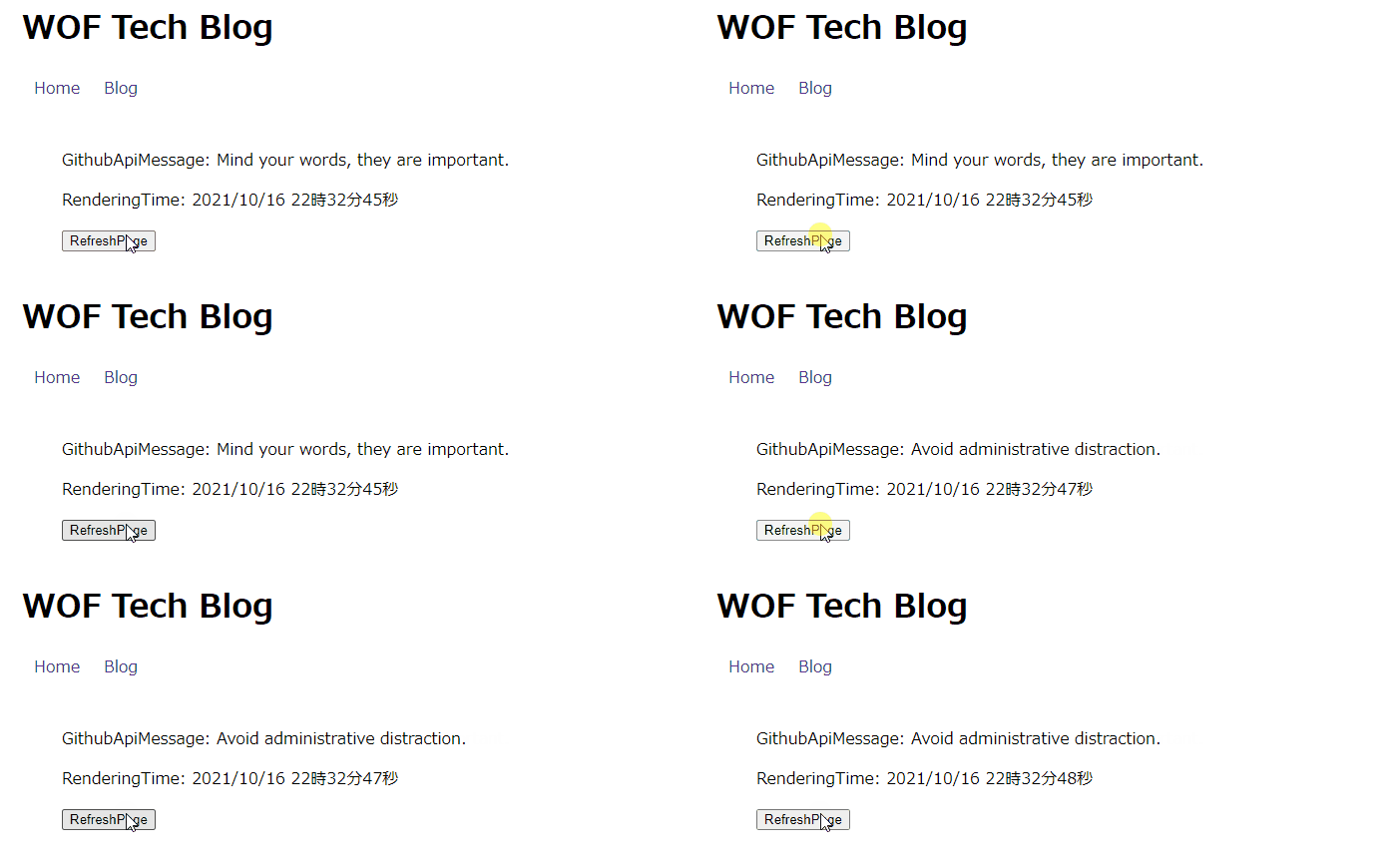
→ リロードするたびに結果が変化する
まとめ
SSGとSSRの動きを実際のブラウザ表示で確認することができた。中の処理は同じで、関数名の指定をgetStaticProps または getServerSideProps とするだけで、容易に使い分けできることがわかった。